-->

Wednesday, February 13, 2019

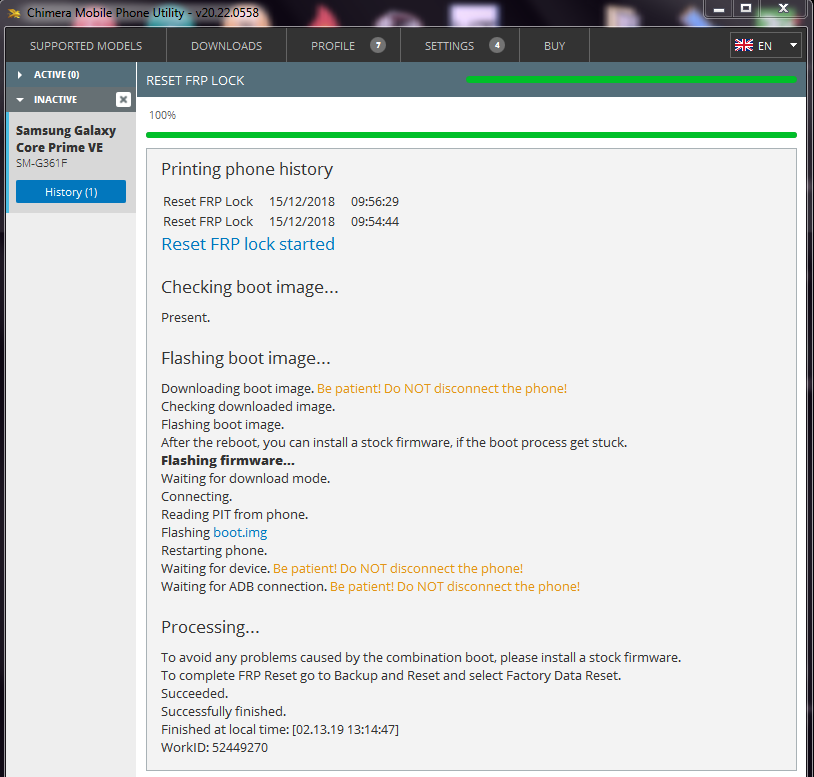
SM-G361F_{Factory Reset Protection}_Successfully Removed..''1Click''

  Unlock4samsung       Wednesday, February 13, 2019
Full logs of the operation/
Quote:

Quote:

Chimera Mobile Phone Utility version: 20.06.1028 @ 2019-02-13
Printing phone history

Reset FRP Lock
15/12/2018
09:56:29

Reset FRP Lock
15/12/2018
09:54:44

Reset FRP lock started
Checking boot image...
Present.
Flashing boot image...
Downloading boot image. Be patient! Do NOT disconnect the phone!
Checking downloaded image.
Flashing boot image.
After the reboot, you can install a stock firmware, if the boot process get stuck.
Flashing firmware...
Waiting for download mode.
Connecting.
Reading PIT from phone.
Flashing boot.img
Restarting phone.
Waiting for device. Be patient! Do NOT disconnect the phone!
Waiting for ADB connection. Be patient! Do NOT disconnect the phone!
Processing...
To avoid any problems caused by the combination boot, please install a stock firmware.
To complete FRP Reset go to Backup and Reset and select Factory Data Reset.
Succeeded.
Successfully finished.
Finished at local time: [02.13.19 13:14:47]
WorkID: 52449270

logoblog

Previous
« Prev Post